When we receive orders, nothing slows down the production line faster than vague labeling instructions. We have seen countless projects stall because a client simply said, "put a label on the box," without specifying the size, content, or material. This lack of clarity often leads to a frantic back-and-forth right before shipment, or worse, goods arriving at a construction site with missing technical data that inspectors require. If the label does not match the product specs exactly, the entire batch might be rejected by the end-user.
To clearly communicate packaging requirements, create a comprehensive specification sheet or "Tech Pack." This document must explicitly list dimensions, materials, Pantone color codes, and mandatory regulatory symbols. Always provide vector artwork files and require a signed pre-production sample to verify placement and legibility before mass manufacturing begins.
By treating your label specifications with the same rigor as your product engineering, you eliminate ambiguity and ensure your brand looks professional from the moment the box is opened.
What details must I include in a packaging label specification sheet?
In our experience working with distributors and contractors, the most common mistake buyers make is assuming we know what information is "standard." Every market has different standards. When we are setting up the printing machines, we need precise instructions to avoid guessing games that lead to errors.
A packaging label specification sheet must include exact label dimensions, material types (e.g., silver foil, matte paper), and specific finishing techniques. Crucially, you must list every piece of text required, such as model numbers, voltage, power ratings, batch codes for traceability, and all mandatory safety certification symbols.
The "Identity Card" of Your Product
Think of the packaging label as the passport or identity card for your product. If you are selling technical products like the LED strips we manufacture, the label is not just for branding; it is a functional tool for the installer. We often see designers focus heavily on the logo but forget the critical technical parameters.
When drafting your specification sheet, you must break down the content into static and variable data. Static data includes your brand logo, website, and fixed certifications. Variable data changes with every SKU or production run.
For a professional-grade product, your spec sheet should explicitly request the following fields:
- Model Number (SKU): This must match your catalog exactly.
- Technical Specs: For us, this means Voltage (24V), Power (14.4W/m), Color Temperature (3000K), and IP Rating (IP65).
- Safety Warnings: specific text required by your local laws.
- Barcodes: UPC or EAN codes that are scannable.(if applicable)
We once had a client who was new to government tendering. They placed an order but did not specify any unique labeling requirements, so we applied our standard neutral labels. When the goods arrived, the project inspector rejected the entire shipment because the labels did not explicitly state "Vibration Resistant," a requirement for that specific railway project. The client had to reprint thousands of labels locally and pay for manual labor to relabel every box. This costly mistake could have been avoided if the spec sheet had included that one specific line of text.
Batch Tracking is Non-Negotiable
From a manufacturing standpoint, the most critical piece of information on a label is the Batch Number or Date Code.
Many buyers overlook this, but it is your insurance policy. If a customer reports a color consistency issue or a failure six months down the line, the batch number allows us to trace the problem back to the specific raw materials used on that day. Without a batch number, we cannot determine if the issue is isolated to one roll or affects 5,000 meters of product. In your spec sheet, you must dictate where this batch code goes and the format you prefer (e.g., YYYY-MM-DD or Lot#12345).
Material and Finish Specifications
Do not just say "paper label." In a warehouse environment or on a construction site, a cheap paper label will rip or fade. You need to specify the substrate and the adhesive.
| Specification Category | What to Specify | Why It Matters |
|---|---|---|
| Material Type | Synthetic paper (PP/PET), Silver Foil, or Coated Paper | Ensures durability against moisture, heat, or tearing. |
| Adhesive Strength | Permanent, Removable, or High-Tack | High-tack is needed for rough surfaces; removable is needed for retail glass. |
| Surface Finish | Matte, Gloss, or UV Varnish | Gloss makes colors pop; Matte is easier to read under bright warehouse lights. |
| Dimensions | Exact Width x Height (mm) | Ensures the label fits the designated flat area on the packaging without wrinkling. |
By providing a table like the one above in your Tech Pack, you force the supplier to acknowledge these details. We appreciate this level of detail because it removes the risk of us choosing a "standard" material that might not meet your durability expectations.
Which file formats should I use to send label designs to my manufacturer?
Our design team frequently receives low-quality screenshots or Word documents containing label "designs." This is a recipe for disaster. When we try to print from these files, the text becomes fuzzy, and the barcodes often become unreadable by scanners, causing major headaches at your logistics center.
You should exclusively use vector formats like AI (Adobe Illustrator), PDF, or EPS for sending label designs. These formats allow the manufacturer to resize artwork without losing quality. Ensure all fonts are outlined to vector shapes and colors are defined using Pantone (PMS) codes for consistency.
The Power of Vector Files
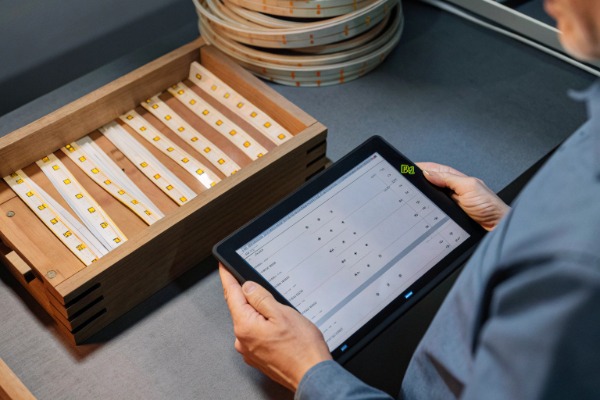
To understand why we ask for vector files, you need to understand how printing works. Raster images (like JPG or PNG) are made of pixels. If you send us a small JPG and we have to stretch it to fit a carton box, the edges become jagged. This looks unprofessional and cheap.
Vector files (AI, EPS, PDF) are based on mathematical equations. We can scale them up to the size of a billboard or down to the size of a postage stamp, and the lines will remain crisp. For small text on technical labels—like "24V DC" or safety symbols—crispness is essential for legibility.
The "Missing Font" Trap
One of the most frustrating delays in the pre-production phase happens when a client sends an editable AI file, but forgets to include the font files. If our computer does not have that specific fancy font you used for your brand name, our software will automatically replace it with a default font like Arial. If the operator doesn't notice, your labels will be printed with the wrong font.
To prevent this, you must "outline" or "create outlines" for all text before sending the file. This converts the text into graphic shapes. Once outlined, the text is no longer editable, but it guarantees that the shape of the letters will look exactly the same on our computer as it does on yours.
Color Consistency: CMYK vs. Pantone
On your screen, colors are displayed in RGB (Light). Printers use CMYK (Ink). There is often a shift in color when converting between the two.
If your brand color is a specific shade of blue, do not rely on how it looks on a monitor. We recommend using Pantone (PMS) codes. A Pantone code is a universal standard. If you tell us your logo is "Pantone 286 C," we can mix the ink to match that exact standard, regardless of whether we are printing in China, Germany, or the US.
| File Type | Suitability for Printing | Common Issues |
|---|---|---|
| AI / EPS (Vector) | Best | Requires professional software to open; fonts must be outlined. |
| PDF (High Res) | Good | Ensure it is exported as "Press Quality" with bleed marks included. |
| JPG / PNG (Raster) | Avoid | Pixelation, fuzzy text, unreadable barcodes, color shifts. |
| Word / PPT | Never | Formatting shifts completely when opened on different computers. |
How can I ensure my supplier complies with international labeling regulations?
When we export products to strict markets like Germany or Australia, we see that compliance is often the biggest hurdle. Many buyers assume that because we are a large manufacturer, we automatically know the labeling laws of their specific country. This is a dangerous assumption.
Ensure compliance by explicitly listing every required certification symbol (like UL, CE, or RCM) and warning text in your purchase order. Do not assume the factory knows your local laws. Provide the exact vector files for these symbols and specify their minimum size to meet legal standards.
You Are the Compliance Expert for Your Market
While we stay updated on general international standards, regulations change frequently. As the importer of record, you are legally responsible for ensuring the packaging meets local laws.
For example, in the European Union, the CE mark must be at least 5mm in height. If it is printed 4mm high, customs can technically block the shipment. Similarly, the WEEE symbol (the crossed-out wheelie bin) is mandatory for electronics. In the US, the FCC logo might be required depending on the product class.
We recommend creating a "Compliance Checklist" for your specific region and attaching it to your purchase order. Do not just say "Add CE mark." Instead, say: "Print CE mark, minimum height 5mm, placed on the bottom right corner of the rear panel."
Country of Origin and Traceability
Almost every major market requires a "Country of Origin" statement (e.g., "Made in China"). In the US, U.S. Customs and Border Protection (CBP) is very strict about this. The statement must be conspicuous and legible. We have seen shipments held at ports simply because the "Made in China" text was hidden under a flap or printed in a font color that blended too much with the background.
Furthermore, traceability is becoming a legal requirement, not just a quality control tool. In Europe and Australia, regulators are increasingly asking for the importer's name and address to be printed on the product or packaging. This ensures that if there is a safety recall, the authorities know exactly who to contact.
Handling Multi-Language Requirements
If you are selling in Canada (English/French) or the EU (multiple languages), your label space becomes very crowded very quickly.
- Strategy 1: Multi-Page Booklets. If the text won't fit on the box, move the detailed warnings to an instruction manual inside, and keep only the mandatory symbols on the box.
- Strategy 2: Universal Symbols. Use standardized ISO symbols where possible to reduce word count.
- Strategy 3: QR Codes. While not a replacement for mandatory legal text, QR codes are excellent for linking to full declarations of conformity and detailed user manuals in 20 different languages.
| Region | Key Mandatory Symbols (Electronics) | Critical Requirement |
|---|---|---|
| Europe (EU) | CE, WEEE (Bin), RoHS | Importer address must be on the packaging. |
| USA | FCC, UL/ETL (if certified) | "Made in China" must be visible; specific font sizes apply. |
| Australia | RCM (Triangle with check) | RCM mark replaces the old C-Tick; requires registration. |
What steps should I take to verify label samples before mass production begins?
We always advise our clients to pause and verify before we hit the "run" button on the production line. Once we print 5,000 boxes, there is no going back. Correcting a labeling error after production involves applying stickers over the mistake manually, which looks unprofessional and costs time and money.
Verify label samples by requesting a physical pre-production proof to check adhesion and print clarity. If time is tight, request high-resolution photos and videos of the label applied to the product. Establish a "Golden Sample" signed by both parties to serve as the binding standard for quality control.
The Digital Proof vs. Physical Proof
A digital proof (PDF) is useful for checking spelling and layout, but it tells you nothing about the physical reality of the label. It won't show you if the adhesive is too weak for the cardboard box, or if the silver foil stamping is flaking off.
For your first order, or any order with new packaging, insist on a physical proof. We can send this via express courier. When you receive it, try to peel it off. Rub it with your thumb to see if the ink smears. Scan the barcode with your phone and a professional scanner to ensure it works.
The "Golden Sample" Protocol
In manufacturing, we use a concept called the "Golden Sample." This is the master sample that represents the perfect standard.
- Approval: Once you are happy with the physical label sample, sign it and date it with a permanent marker.
- Duplication: We keep one signed sample at our factory, and you keep one at your office.
- Reference: When our QC team inspects the mass production run, they hold the production unit next to the Golden Sample. If the blue on the production box looks lighter than the Golden Sample, they know there is a problem.
Without a Golden Sample, quality control becomes subjective. You might say "this looks too dark," and we might say "it looks fine." The signed sample eliminates this debate.
Stress Testing Your Labels
Labels face stress during shipping. Containers get hot, humid, and shaken. We recommend a simple "rub test" and "tape test" for printed labels.
- Rub Test: Rub the printed area with a dry cloth and then a damp cloth for 15 seconds. The info must remain legible.
- Tape Test: Apply clear tape over the print and rip it off. If the ink comes off with the tape, the curing process was insufficient.
If your product is destined for outdoor use (like our outdoor LED strips), the packaging label might also need to be water-resistant if it's stored in open yards. Clarifying these testing standards in your initial spec sheet ensures we use the right ink and top-coating from the start.
Conclusion
Clear communication regarding packaging labels is not just about aesthetics; it is a critical component of supply chain efficiency and legal compliance. By providing a detailed Tech Pack, using professional vector files, understanding regulatory requirements, and enforcing a strict verification process with Golden Samples, you protect your business from costly delays and recalls. Investing time in these specifications upfront allows us, as your manufacturing partner, to deliver a product that represents your brand perfectly.