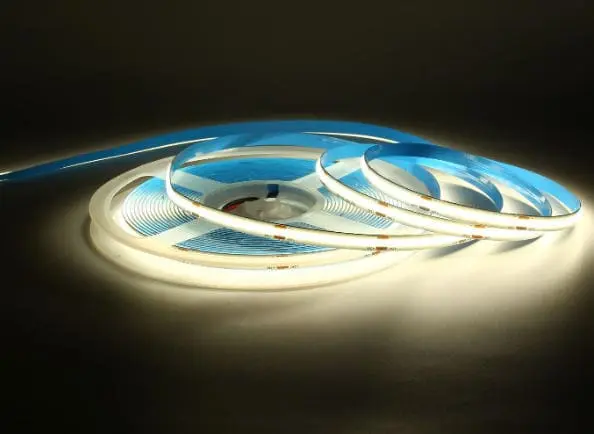
Every week on production line, we see the same problem come back around. A contractor orders beautiful COB LED strips 1, pairs them with a random power adapter from another supplier, and then calls us about flickering, overheating, or outright failure. The strip gets blamed. But nine times out of ten, the power adapter is the real culprit.
To verify compatibility, match the adapter's DC output voltage exactly to your COB strip's rated voltage (12V or 24V), calculate total wattage by multiplying watts per meter by strip length, then add a 20–30% safety margin. Also confirm connector type, polarity, IP rating, and safety certifications before powering on.
This guide walks you through every step of that process. We will cover voltage and wattage matching, dimmer compatibility, physical connectors, and the safety certifications you should demand from any supplier. Let's get into it.
How do I verify that the adapter's voltage and wattage are correctly matched to my COB LED strip?
When we ship COB LED strips to our partners in Germany and Australia, one of the most common technical support questions we handle is about power matching. It sounds simple, but the details trip people up constantly.
First, confirm the adapter's output voltage matches your strip exactly—12V DC to 12V strip, 24V DC to 24V strip. Then calculate total wattage (watts per meter × total length) and choose an adapter rated at least 20–30% above that number to avoid overloading and ensure stable, long-term operation.
Step 1: Find Your Strip's Voltage
Every COB LED strip has a rated input voltage. This is printed on the strip's PCB, listed on the product packaging, or found in the supplier's datasheet. The two most common voltages are 12V DC and 24V DC.
Do not guess. A 24V adapter on a 12V strip will burn the LEDs instantly. A 12V adapter on a 24V strip will produce dim, unusable light. Both scenarios can create fire risks.
If your supplier cannot tell you the voltage, that is a red flag. Walk away.
Step 2: Calculate Total Wattage
COB strips are rated in watts per meter. A typical mid-range COB strip runs between 9.6W/m and 14.4W/m. High-density strips can go higher. Multiply this number by your total strip length in meters.
For example: A 5-meter run of 14.4W/m COB strip needs 72W of power.
Step 3: Add a Safety Margin
Never run a power adapter at 100% load. Our engineering team recommends a minimum 20% buffer for standard indoor installs, and 30% or more for enclosed spaces, dimmable setups, or hot environments. This keeps the adapter cool, extends its life, and prevents flickering under load.
Here is a quick reference table:
| Strip Spec (W/m) | Length (m) | Total Load (W) | Min Adapter (20% margin) | Recommended Adapter (30% margin) |
|---|---|---|---|---|
| 9.6 | 5 | 48W | 58W | 63W |
| 12.0 | 5 | 60W | 72W | 78W |
| 14.4 | 5 | 72W | 87W | 94W |
| 9.6 | 10 | 96W | 116W | 125W |
| 14.4 | 10 | 144W | 173W | 188W |
Step 4: Constant Voltage vs. Constant Current
Most COB LED strips on the market are constant voltage 2 devices. They need a power supply that holds a steady 12V or 24V output, regardless of the load. This is the standard for runs up to about 5–10 meters.
Constant current drivers 3 are used in specialized or very long-run applications. Unless your strip's datasheet specifically calls for constant current, stick with constant voltage.
Why 24V Is Gaining Ground
We have seen a strong trend toward 24V COB strips, especially for commercial projects and longer runs. The reason is simple: at the same wattage, a 24V system draws half the current of a 12V system. Lower current means less voltage drop 4 over distance, thinner wires, and more consistent brightness from start to end. For runs over 5 meters, 24V is almost always the better choice.
The key takeaway here: matching voltage and wattage is not optional. It is the foundation of every reliable LED installation. Get this wrong, and nothing else matters.
Can I use this power adapter with my existing dimming controllers for a flicker-free setup?
When we work with lighting designers and contractors on projects, dimming compatibility is one of the trickiest areas. A power adapter might match perfectly on voltage and wattage but still cause visible flicker when paired with a dimmer.
Yes, but only if the power adapter explicitly supports the dimming protocol your controller uses—such as PWM, 0–10V, DALI, or TRIAC. A non-dimmable adapter paired with a dimmer will cause flicker, buzzing, or damage. Always confirm dimming compatibility in the adapter's datasheet before purchasing.
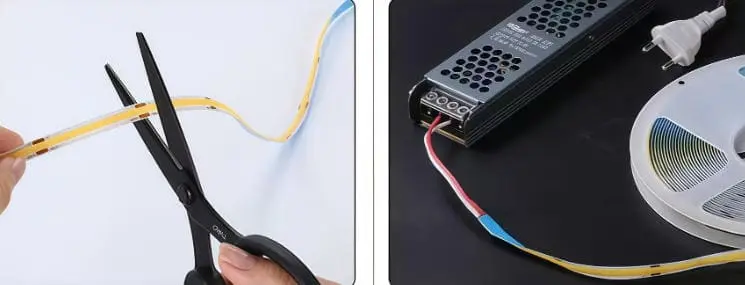
Understanding Dimming Protocols
Not all dimmers speak the same language. Here are the most common dimming methods used with low-voltage COB LED strips:
- PWM (Pulse Width Modulation): The most common for 12V/24V LED strips. The dimmer sits between the power supply and the strip. The power supply itself does not need to be dimmable—it just needs to provide stable DC output. The PWM controller handles the dimming.
- 0–10V / 1–10V: A signal-based method where a low-voltage control signal tells the driver to adjust output. The driver must have 0–10V dimming capability built in.
- DALI (Digital Addressable Lighting Interface): Used in commercial and architectural projects. Requires a DALI-compatible driver.
- TRIAC / Phase-cut: Common in residential AC dimmers. Requires a TRIAC-dimmable LED driver. Not all LED drivers support this cleanly—cheap ones cause flicker.
The Flicker Problem
Flicker happens when the power output fluctuates. The human eye can detect flicker below about 100Hz, and even higher-frequency flicker can cause headaches in sensitive individuals. Common causes include:
- Using a non-dimmable adapter with a dimmer controller.
- An adapter that cannot maintain stable output at low dimming levels.
- Poor-quality adapters with high ripple current.
Our team tests every power adapter we recommend alongside our COB strips at multiple dimming levels—100%, 50%, 25%, and 10%. If it flickers at 10%, it fails our test.
Matching Table: Dimming Protocol vs. Adapter Requirement
| Dimming Protocol | Where Dimmer Sits | Adapter Requirement | Best For |
|---|---|---|---|
| PWM | Between adapter & strip | Stable DC output (non-dimmable OK) | Residential, simple setups |
| 0–10V | Signal to driver | 0–10V dimmable driver required | Commercial, offices |
| DALI | Signal to driver | DALI-compatible driver required | Architectural, large-scale |
| TRIAC / Phase-cut | AC side, before driver | TRIAC-dimmable driver required | Retrofit residential |
| Wi-Fi / Bluetooth | Between adapter & strip | Stable DC output (non-dimmable OK) | Smart home systems |
A Practical Tip
For most of our B2B clients—especially contractors doing under-cabinet, cove, or accent lighting—the simplest and most reliable dimming setup is a quality constant-voltage adapter paired with an inline PWM dimmer 6. The adapter just provides clean, stable 12V or 24V DC. The PWM dimmer does the rest. This avoids the complexity and cost of specialized dimmable drivers for everyday projects.
If you are working on a large commercial space with DALI or 0–10V requirements 7, the driver must be specified for that protocol from the start. You cannot retrofit this capability later.
Always ask your supplier: "Does this adapter support [your dimming protocol]?" If they cannot answer clearly, request the datasheet or test samples before committing to a bulk order.
How do I check if the adapter's physical connectors are compatible with my COB strip wiring?
On our assembly floor, we have seen containers of adapters arrive from third-party suppliers with barrel plugs that do not fit, wrong polarity markings, or wire gauges too thin for the job. Physical compatibility is the step most people skip—until they are on-site and nothing connects.
Check three things: connector type (barrel plug size, screw terminals, or bare wire leads), polarity orientation (center-positive vs. center-negative, and correct +/− wiring), and wire gauge suitability for your total current draw and run length. A mismatch in any of these can prevent operation or cause safety hazards.
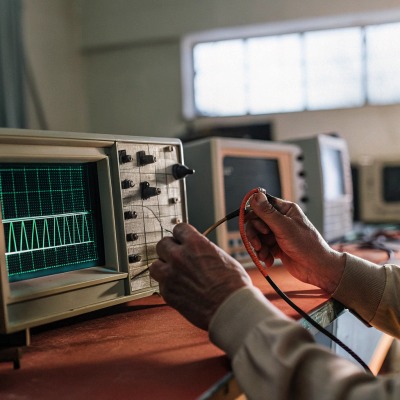
Common Connector Types
Power adapters for low-voltage COB LED strips come with several connector styles. The right one depends on your installation method and the strip's input terminal.
- DC barrel plug (5.5mm × 2.1mm): The most common for small to mid-size adapters. Check both outer diameter and inner pin diameter—5.5×2.5mm looks identical but will not seat properly.
- Screw terminals: Found on larger enclosed drivers. You strip the wire ends and clamp them down. Reliable for permanent installs.
- Bare wire leads: Some adapters come with bare wire outputs. These connect directly to the strip's solder pads or to quick-connect terminals.
- Push-in connectors: Growing in popularity for tool-free installation on commercial jobs.
Polarity Matters
COB LED strips are polarity-sensitive. Connect positive to negative and nothing will light up. Reverse polarity can damage some strips permanently.
Most barrel plug adapters 8 are center-positive, meaning the inner pin is (+) and the outer barrel is (−). But not all. Check the symbol printed on the adapter housing—a small diagram shows the polarity orientation.
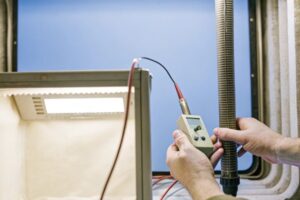
For bare wire or screw terminal connections, use a multimeter set to DC voltage. Touch the red probe to what you think is positive and the black probe to negative. If the reading is positive (e.g., +24.1V), you have it right. If it reads negative, swap the wires.
Wire Gauge and Voltage Drop
This is where things get critical on longer runs. Thin wires resist current flow, which causes voltage to drop before it reaches the far end of your strip. The result: the strip is bright near the adapter and dim at the other end.
For 12V systems, voltage drop is a bigger concern because the current is higher at the same wattage. Here is a general guide:
| Total Current (A) | Max Run Length at 18 AWG | Max Run Length at 16 AWG | Max Run Length at 14 AWG |
|---|---|---|---|
| 2A | ~3m | ~5m | ~8m |
| 4A | ~1.5m | ~2.5m | ~4m |
| 6A | ~1m | ~1.7m | ~2.7m |
| 8A | ~0.75m | ~1.3m | ~2m |
These are approximate values assuming acceptable voltage drop under 5%. For 24V systems, you can roughly double these distances because the current is halved at the same power level.
Avoid Daisy-Chaining Power Supplies
Never connect two power adapters in series or parallel unless they are specifically designed for it. This can cause ground loops, uneven voltage distribution, and damage. If your installation needs more power than one adapter provides, use separate adapters for separate strip sections, each with its own home run back to the power source.
Quick Check Before You Power On
- Verify the connector physically fits without forcing it.
- Confirm polarity with a multimeter.
- Ensure wire gauge is adequate for your current and distance.
- Tighten all screw terminals firmly—loose connections cause heat buildup.
Taking five minutes to check these details on the bench saves hours of troubleshooting on-site.
What safety certifications should I demand from my supplier to ensure project compliance?
When we prepare shipments for our partners in Australia and Germany, certifications are never an afterthought. They are a gate that determines whether a product can legally be installed on a job site. We have seen projects delayed by weeks because an adapter arrived without the right paperwork.
Demand UL Listed (UL1310 for Class 2), CE, SAA, or equivalent certifications that match your target market. Also verify the adapter includes built-in protections for over-current, over-voltage, short-circuit, and over-temperature conditions. A certified adapter is not just safer—it is often a legal requirement for project approval and insurance coverage.
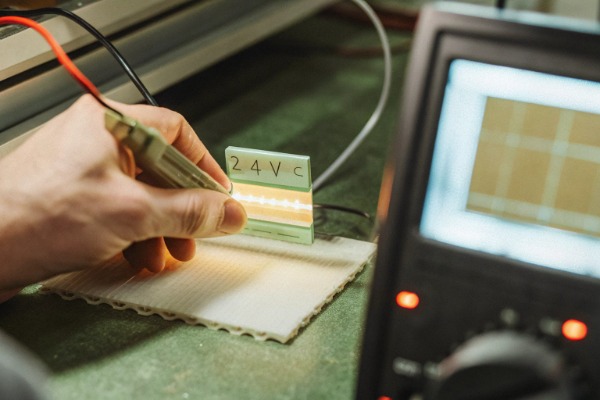
Why Certifications Are Non-Negotiable
Safety certifications are not marketing stickers. They confirm that an independent lab has tested the product against rigorous electrical safety standards. For contractors and distributors, missing certifications mean:
- Failed building inspections.
- Voided insurance policies.
- Personal liability if something goes wrong.
- Lost bids on commercial projects that require certified components.
Key Certifications by Market
The certifications you need depend on where the product is being installed.
- UL Listed (United States / Canada): Look for UL1310 for Class 2 power supplies. Class 2 limits output to less than 60V (dry locations), less than 5A, and less than 100W. This classification is considered inherently safe—lower fire risk, simplified wiring rules. For higher-power setups, a UL Listed non-Class 2 driver 9 is acceptable but requires additional safeguards during installation.
- CE Marking (European Union / Germany): Indicates compliance with EU safety directives including Low Voltage Directive (LVD) and Electromagnetic Compatibility (EMC). Required for market access in Germany and across the EU.
- SAA (Australia): The RCM (Regulatory Compliance Mark) is required for electrical products sold in Australia. This confirms compliance with Australian and New Zealand safety standards.
- IP Rating: While not a certification per se, IP ratings are critical for environmental suitability. IP20 is for dry indoor environments. IP65 handles dust and water jets—suitable for bathrooms and covered outdoor areas. IP67 allows temporary submersion. Match the adapter's IP rating to the installation environment.
Built-In Protection Features
Beyond certifications, a quality power adapter should include:
- Over-current protection (OCP): Shuts down or limits output if current exceeds safe levels.
- Over-voltage protection (OVP): Prevents output voltage from spiking above the rated value.
- Short-circuit protection (SCP): Cuts power immediately if a short is detected.
- Over-temperature protection (OTP): Reduces output or shuts down if internal temperature gets too high.
Ask your supplier for the datasheet. These protections should be clearly listed. If a supplier cannot provide documentation, that is a serious warning sign.
UL Class 2 Limitations
Class 2 is the gold standard for safety in low-voltage LED systems, but it comes with a trade-off. The 100W output cap means you cannot power large installations from a single Class 2 supply. For a 10-meter run of 14.4W/m COB strip (144W total), you will need either a non-Class 2 UL Listed driver or multiple Class 2 units powering separate sections.
This is a design decision that should be made early in the project planning phase. Our team can help clients spec the right combination of drivers and strip segments to stay within Class 2 limits when project requirements demand it.
Red Flags From Suppliers
Watch out for these warning signs:
- Certification logos on the product but no certificate number you can verify.
- Claims of "CE equivalent" or "meets UL standards" without actual listing.
- Refusal to provide test reports or certificates when asked.
- Adapters priced far below market average—cutting corners on safety testing is how they get there.
A reputable supplier will provide certification documents proactively. If you have to fight for them, find a different supplier.
Heat Dissipation Matters Too
Even a certified adapter can fail prematurely if it overheats. Ensure the adapter has adequate ventilation. Enclosed drivers installed in tight ceiling voids or behind walls need either a higher IP-rated enclosure with thermal management or a derating plan. Many quality adapters are rated for continuous operation at 40°C ambient. Above that, output capacity drops. Check the derating curve in the datasheet.
In our experience, the adapters that cause the most problems on job sites are the ones that were "good enough on paper" but lacked real certification and real protection. Spending a little more on a properly certified power supply saves a lot of money—and risk—in the long run.
Conclusion
Checking power adapter compatibility is not just about matching a voltage number. It requires verifying wattage with safety margin 10s, confirming dimming protocol support, inspecting physical connectors and polarity, and demanding proper safety certifications. Get these right, and your COB LED strip installation will perform reliably for years.
Footnotes
- Explains COB LED strip technology and benefits. ↩︎
- Defines constant voltage LED drivers and their typical applications with LED strips. ↩︎
- Explains constant current LED drivers and their use in specialized lighting applications. ↩︎
- Explains how wire gauge affects voltage drop in LED strip installations. ↩︎
- Provides a formula and examples for calculating LED strip total wattage. ↩︎
- Describes how Pulse Width Modulation controls LED brightness by rapidly switching power. ↩︎
- Discusses DALI constant voltage LED drivers and their integration into smart lighting systems. ↩︎
- Details common dimensions and uses of DC barrel plugs for power connections. ↩︎
- Explains UL 1310 Class 2 standards for power supplies and their safety implications. ↩︎
- Explains the importance of adding a safety margin to prevent power supply overheating. ↩︎

 English
  Spanish
  German
  Russian
  Arabic
  French
  Portuguese